Unmanned pumping stations, tank farms and substations cannot wait for someone to notice a red tag on a control room screen. A well planned callout system pushes the right alarm to the right person by SMS, email or voice and keeps escalating until someone acknowledges it.
When no operator is watching the screen, alarms must travel to phones. SCADA alarm notification sends SMS, email and voice callouts, escalates through rosters and records who acknowledged every event.
What Is SCADA Alarm Notification?
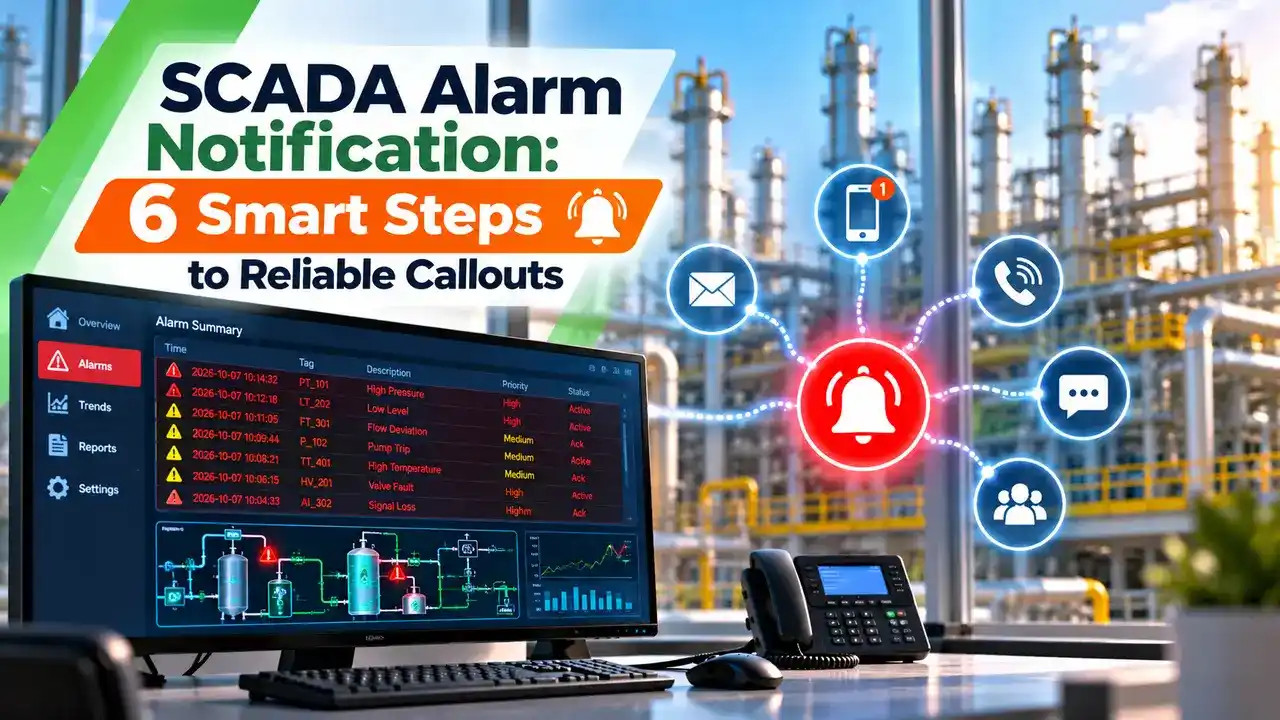
SCADA alarm notification is the function that takes an active alarm from the SCADA server and delivers it to people who are away from the operator screen, using SMS, email, voice calls or a mobile app. It extends normal SCADA alarm management beyond the control room walls.
Water utilities, oil and gas well pads, solar plants and remote pump houses often run with no operator on site at night. In those plants the SCADA system detects the fault, but only a callout gets a technician out of bed and on the road.
A callout is not a replacement for good alarm design. If the station already floods operators with nuisance alarms, sending all of them to phones only spreads the problem to more people, so start with the principles in alarm management to ISA 18.2.
Inductive Automation states that its voice module reads the alarm aloud with text to speech and lets the listener acknowledge it by entering a simple code on the phone keypad. The engineer never has to open a laptop to silence the callout.
How an Alarm Travels From Tag to Phone
The first link is the field device and its RTU communication back to the master. If the telemetry link is down, no alarm reaches the server, so every serious design also raises a communication failure alarm and routes it like any other critical alarm.
The pipeline is the brain of the system. Inductive Automation describes pipeline blocks for consolidation, delay, selection and escalation, so a single drag and drop flow decides who gets which alarm and when.
Add a short delay block of one to two minutes for alarms that often clear by themselves, such as a momentary low suction pressure. If the alarm returns to normal inside the delay, nobody is woken for nothing.
SCADA Alarm Notification Channels Compared
A short message with tag, value and priority, sent by a GSM modem, cellular router or bulk SMS gateway.
A detailed message with trend links and alarm history, sent through an SMTP mail server.
Text to speech call that reads the alarm and waits for a keypad code.
A push alert in a dedicated app with ownership, chat and history.
SCADACore lists voice call, SMS text and email as its callout methods, and notes that they can be combined for the same alarm. Combining two channels is common practice because each one fails in a different way.
SMS works on basic phones and weak signal, but delivery is not guaranteed. Email carries more detail yet is easy to miss at night, so a voice call is the best wake up method in any SCADA alarm notification design.
6 Steps to Configure SCADA Alarm Notification
Step one matters most. Only alarms that need a human response within a defined time should trigger a SCADA alarm notification, and the types of alarms such as absolute, deviation and rate of change alarms should already carry correct priorities.
For tripped equipment, send the first out cause instead of every consequential alarm. The approach in first out alarm logic turns a burst of twenty trip alarms into one useful message.
SCADA Alarm Notification Escalation and Rosters
An escalation list is an ordered set of contacts. If the first person does not acknowledge inside the wait time, the system moves to the next person and repeats the whole list if needed.
Inductive Automation explains that rosters can check schedules so only people currently on shift are notified, and that users can mark themselves unavailable so alarms skip them. SCADACore similarly offers configurable escalating callout levels with escalating call lists.
A typical water utility roster places the duty technician first, the shift supervisor second and the maintenance engineer third. For a chlorine leak, the SCADA alarm notification may go to two people at the same time.
Worst Case Callout Time Formula
Plant managers often ask how long an unacknowledged alarm can sit before the last person on the roster hears about it. The answer depends on contacts, wait time, repeat cycles and delivery delay.
Time until roster is exhausted = n × W × R
n = contacts in roster, W = wait per contact in minutes
R = repeat cycles, D = delivery delay in minutes
Example:
n = 3, W = 5 min, R = 2, D = 30 s = 0.5 min
Last contact alerted = (3 minus 1) × 5 + 0.5 = 10.5 min
Roster exhausted = 3 × 5 × 2 = 30.0 min
Callout Time Calculator
If 10.5 minutes is too slow for a high priority alarm, cut the wait time or alert two people in parallel. The same check helps when you write the response time targets in the alarm philosophy document.
Second Worked Example: Sewage Pumping Station
A municipal sewage station has a wet well high level alarm with 40 minutes from alarm to overflow. The roster has 4 people, wait time is 8 minutes, and the SMS gateway takes about 1 minute to deliver.
The fourth person is alerted after (4 minus 1) × 8 + 1 = 25 minutes, and the technician still needs travel time. That leaves only 15 minutes, so the utility should reduce the wait to 4 minutes or send the first message to two technicians at once.
GSM Modems and Gateways in Indian Plants
Many Indian sites still use an industrial GSM modem or 4G router connected to the SCADA server by serial or Ethernet. Inductive Automation, for example, specifies a Sierra Wireless AirLink RV50 cellular gateway with an SMS plan for its SMS module, and similar routers are sold locally for secure remote access and messaging.
Check the mobile network before buying any callout hardware. Jio runs only on 4G LTE, so an old 2G only modem will not register on a Jio SIM, and many rural sites need an external antenna on the panel roof.
Bulk SMS through a commercial gateway in India must follow TRAI rules on registered sender headers and message templates. A local SIM in a modem avoids template approval, but its daily sending limits and prepaid validity must be monitored.
Configure a daily heartbeat SMS at a fixed time, such as 9 am. If the duty engineer does not receive it, the modem, SIM balance or server service has failed and must be checked the same day.
Acknowledgement and Audit Trail
Acknowledgement of a SCADA alarm notification means the person has received the alarm and accepts responsibility for it. It does not mean the fault is fixed, and the alarm still remains active on the HMI until the process returns to normal.
Inductive Automation lists two way email, text replies and a keypad code on voice calls as acknowledgement paths. Each acknowledgement should be written to the event log with user name and time, and the server clock must be correct, as covered in SCADA time synchronization.
ISA 18.2 treats acknowledgement as an operator action in the alarm life cycle that is separate from the alarm returning to normal. That is why a callout acknowledgement and a cleared alarm appear as two different entries in the process historian.
Reliability and Cyber Security of the Callout Path
The SCADA alarm notification service is only as reliable as the server it runs on. Place it on a redundant node as described in SCADA redundancy architecture, and power the modem from the same UPS that feeds the server.
Email and cloud apps need a path from the OT network to the internet. Route that traffic through the industrial DMZ instead of opening the SCADA server directly, and follow the hardening rules in SCADA network security.
Never allow write commands from an SMS reply unless the design is reviewed formally. Acknowledging an alarm by SMS is acceptable, but starting a pump by text message bypasses normal HMI design and operator checks.
- Unmanned sites are covered around the clock.
- Escalation ensures a backup person is always reached.
- Logged acknowledgement shows who responded and when.
- Multiple channels reduce single point failures.
- SMS delivery is not guaranteed by mobile networks.
- Too many callouts cause alert fatigue.
- Internet links add cyber security exposure.
- Rosters and numbers go out of date quickly.
Where Alarm Callouts Are Used
Commissioning Checklist for SCADA Alarm Notification
- Confirm every callout alarm has a priority and defined response time.
- Verify roster phone numbers and email IDs with each person.
- Send a test SMS, email and voice call from the live server.
- Acknowledge each test by every allowed method and confirm the log entry.
- Leave one test unacknowledged and confirm escalation timing.
- Pull the modem antenna or SIM and confirm a fault alarm appears.
- Record the heartbeat message time and the owner who checks it.
Ignition Alarm Notification Product Sheet
Alarm Callout Demonstration Video
SCADA Alarm Notification FAQ
It is the function that sends active SCADA alarms to people away from the control room by text, email, voice or app. The goal is a fast human response at unmanned or lightly staffed sites.
It normally includes rosters, escalation rules and acknowledgement. Every message and reply is logged so the plant can review response times later.
A voice call is usually the hardest alarm to miss when a person is asleep. Text to speech reads the alarm and waits for a keypad code before it stops calling.
Many plants send an SMS at the same time as a written record of the tag and value. Email is better suited to summaries and alarms of lower priority.
The system alerts the first contact and waits for a set time, often five to ten minutes. If nobody acknowledges, it moves to the next person on the roster.
After the last contact it can repeat the whole list for a set number of cycles. High priority alarms may alert two people together to save time.
Only if the modem supports 4G LTE, because Jio has no 2G or 3G network. Older 2G modules will not register on that network at all.
Check the LTE band support in the modem datasheet before you buy it. A 4G router with an external antenna is usually the safest choice for rural pumping stations.
No, acknowledgement only confirms that a person has received the alarm and accepted it. The alarm stays active until the process value returns to normal.
This follows the alarm life cycle used in ISA 18.2 and in most SCADA packages on the market. The historian records both events with separate timestamps so engineers can review them later.
Send callouts only for alarms that need action within a defined time. Add short delay blocks so alarms that clear on their own never reach a phone.
Consolidate bursts of trip alarms into one first out message for the team. Review the callout log every month and remove alarms that never led to any action.
A daily heartbeat message proves that the server, modem and network are working. A full test with escalation should run at least once a month on every roster.
Also test the whole callout path after any change of phone numbers, SIM cards or server software. Record the results so audits can see that the system was really checked.
Related Articles
- SCADA Alarm Management
- Alarm Management ISA 18.2
- Alarm Shelving ISA 18.2 in DCS
- First Out Alarm PLC Logic
- SCADA Redundancy Architecture
External References
- Alarm Notification Module Product Sheet, Inductive Automation
- Alarm Callout Features, SCADACore
- SCADA, Wikipedia
What We Learn Today
- SCADA alarm notification pushes active alarms to people away from the control room by SMS, email, voice calls or mobile app alerts at unmanned sites.
- Escalation rosters alert contacts one after another, and the worst case delay equals contacts minus one times the wait plus the delivery delay.
- Plants in India should use 4G capable modems, register bulk SMS templates under TRAI rules and send a daily heartbeat message to prove the path works.