In many control rooms one shared password still opens the HMI, the engineering station and the controller download. Giving permissions to roles instead of people keeps operators, engineers and vendors inside their own limits and leaves a clear trail of who changed what.
Shared logins and full rights for everyone are common in plants and dangerous. Role based access control gives each operator, engineer and vendor only the actions their job needs and records every change.
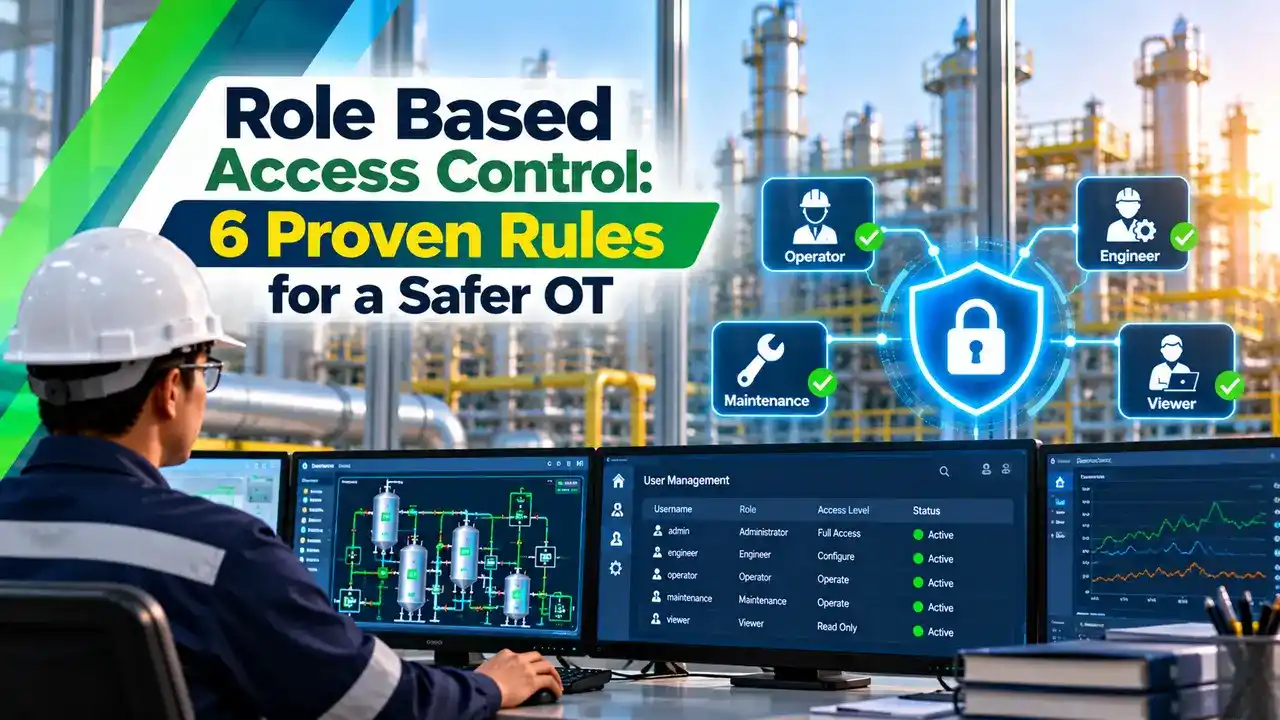
What Is Role Based Access Control?
Role based access control is a security method where permissions are attached to job roles, such as operator, shift supervisor or control engineer, and each user receives one or more roles instead of individual rights. In an industrial plant it decides who can view a screen, change a setpoint, bypass an interlock or download logic to a controller in the DCS or PLC.
When a person joins, moves or leaves, the administrator only changes the role assignment. The permissions behind each role stay the same, which makes large systems easier to manage and to audit.
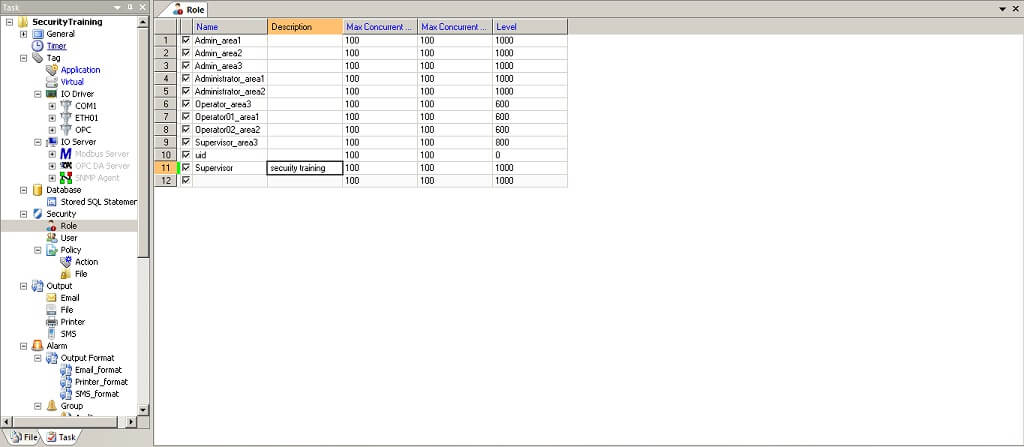
Most HMI and SCADA packages already include roles, as this IntegraXor screen shows, but plants often leave the defaults untouched. The result is that every console logs in as one powerful user, which defeats the purpose of the feature and weakens SCADA network security.
NIST SP 800 82 Revision 3, published in September 2023, recommends establishing role based access control with each role configured on the principle of least privilege. It also states that OT network accounts should not use corporate network user accounts.
Users, Roles and Permissions Explained
A user can hold more than one role, for example operator in two process areas. Permissions are never given directly to a user, so an auditor can read the role table and know exactly what every person can do.
In a DCS the objects are spread across the engineering, operator and automation stations. A good design covers all three, not only the operator graphics.
Can see graphics, trends and alarms but cannot change anything.
Can start equipment, change setpoints and acknowledge alarms in an assigned area.
Operator rights plus alarm shelving, limit changes and selected overrides.
Can edit configuration, tune loops and download logic under change control.
Time limited access to specific systems through a monitored remote path.
Least Privilege and Separation of Duties
Least privilege means each role holds only the permissions needed for its tasks, nothing more. An operator who never tunes loops should not see the PID tuning fields, even if the person is trusted.
Separation of duties splits sensitive work between roles so no single person can complete it alone. A common example is that an engineer makes a logic change offline while a different person approves the download, as covered in PLC online and offline programming.
Start every new role with no permissions and add rights one by one from the job description. Copying the administrator role and removing items always leaves forgotten privileges behind.
Role Based Access Control in IEC 62443
IEC 62443 organises system security into seven foundational requirements. FR1 covers identification and authentication control, and FR2 covers use control, which is where roles and permissions live, alongside the zones and conduits model.
| IEC 62443 Item | What It Asks For | Plant Example |
|---|---|---|
| FR1 Identification and Authentication | Every human user is identified and authenticated | Unique login on each HMI and engineering station |
| FR2 Use Control | Authenticated users only get authorised actions | Operator cannot download logic |
| SR 2.1 Authorization Enforcement | The system enforces permissions on all users | Role table checked on every write |
| Permission Mapping to Roles | Rights are grouped by role, not by person | Operator, supervisor, engineer roles |
| FR6 Timely Response to Events | Security events are logged and reviewed | Audit trail of logins and changes |
The standard also describes requirement enhancements such as supervisor override and dual approval for the highest security levels. Dual approval suits actions like bypassing a trip, where two people must agree before the system accepts the command.
MITRE ATT&CK for ICS lists Authorization Enforcement as mitigation M0800 and says assigning permissions through roles reduces the overhead of managing many devices. It also points to IEC 62351 for power sector roles and IEEE 1686 for IED user permissions.
6 Proven Rules for Role Design in Plants
The inventory step is easier when you already maintain an OT asset inventory. Without it, forgotten engineering laptops and old HMI nodes keep their default accounts for years.
CGI warns that default accounts built into operating systems and applications are well known to attackers. They should be disabled or have their privileges reduced as early as possible in a project.
Why Shared Accounts Are So Common and So Risky
Shared accounts appear because shift changes are fast and nobody wants an operator locked out during an upset. The price is that the audit trail shows only OPERATOR1, so nobody can tell who bypassed an interlock at 3 am.
Many HMI platforms solve this with fast user switching, badge readers or a shared station login combined with named action level sign in. The console stays running while each person signs individual changes with their own credentials.
Directory Integration and Strong Authentication
Large plants manage users through a directory service, usually a dedicated OT domain controller placed inside the control network or the industrial DMZ. CGI notes that centralised identity and access management lets owners control, audit and revoke access proactively.
For privileged and remote access, CGI recommends multi factor authentication or PKI certificates because passwords are open to brute force, dictionary and phishing attacks. Remote vendor sessions should pass through a monitored gateway, as described in PLC remote access security.
Access Review Effort Formula
A simple way to show management the value of roles is to compare how many grants an auditor must review. Without roles each user can hold any permission directly, while with roles the auditor checks user assignments plus the role definitions.
Grants with roles = U × A + R × K
U = users, P = permissions, A = roles per user
R = roles, K = permissions per role
Example:
U = 40, P = 25, A = 1, R = 5, K = 10
Direct = 40 × 25 = 1000
With roles = 40 × 1 + 5 × 10 = 90
Reduction = (1000 minus 90) ÷ 1000 = 91.0 percent
Role Review Calculator
The calculator assumes one role per user, which is typical for operators. The real gain is larger in plants with hundreds of users and many process areas.
Second Worked Example: Fertiliser Plant With Three Areas
A plant has ammonia, urea and utilities areas with 10 operators each, 3 supervisors, 6 engineers and 2 vendor accounts. The team creates one operator role per area, one supervisor role, one engineer role and one vendor role, so 6 roles cover 41 people.
When an operator moves from urea to ammonia, the administrator changes one role assignment and the new area permissions follow at once. Vendor accounts stay disabled until a work permit is raised, which supports the incident response plan if a vendor laptop is ever compromised.
Give supervisors the alarm shelving permission but not operators, so every shelved alarm has a senior owner. This matches the shelving controls in ISA 18.2 described in our guide on alarm shelving.
Read more about those controls in alarm shelving to ISA 18.2, where time limits and authorisation keep shelved alarms from being forgotten.
Audit Trails and Periodic Review
Every login, failed login, setpoint change, bypass and download should be written to a protected audit log with user name and time. Synchronised clocks matter here, and the same events often feed sequence of events records used after a trip.
CGI notes that without regular reviews users accumulate excessive privileges, a problem often called privilege creep. A quarterly review signed by the area manager is a practical habit for Indian plants that face audits from customers and regulators.
- Each person gets only the rights the job needs.
- Joiners, movers and leavers are handled quickly.
- Audit trails show named users, not shared logins.
- Supports IEC 62443 FR1 and FR2 compliance.
- Initial job analysis takes real effort.
- Too many roles become hard to manage.
- Legacy HMIs may support only a few fixed levels.
- Emergency access rules must be planned carefully.
Role Based Access Control Implementation Checklist
- Disable or rename every default vendor and operating system account.
- Create unique named logins for operators, engineers and contractors.
- Map each role to areas, screens and engineering functions in writing.
- Separate OT directory accounts from corporate accounts.
- Enforce multi factor login for engineering and remote access.
- Enable audit logging on HMIs, servers and controllers.
- Review role membership and leavers every quarter.
Pair this checklist with the wider SCADA security checklist and the network layering of the Purdue model. Access control works best when the network also blocks paths that no role should ever use.
NIST Guide to OT Security
Access Control Explained in a Short Video
Role Based Access Control FAQ
It is a method where permissions are attached to job roles such as operator, supervisor or engineer. Each user receives roles instead of a long list of individual rights.
In a plant it controls who can change setpoints, shelve alarms or download logic. Every action is then recorded against a named person in the audit trail.
Least privilege is the principle that every user should hold only the rights the job really needs. Roles are the practical tool used to apply that principle across many users.
A badly designed role can still give far too many rights to a person. That is why each role should start empty and grow only from the written job tasks.
Foundational requirement 1 covers identification and authentication of every human user. Foundational requirement 2 covers use control, which includes authorization enforcement and mapping of permissions to roles.
Higher security levels add enhancements such as supervisor override and dual approval of commands. These suit sensitive actions like bypassing a safety trip or forcing an output in the plant.
A shared login hides who actually performed an action on the HMI or engineering station. After an incident, the log shows only a generic name and the investigation stalls.
Shared passwords also spread to former employees and contractors over time. Unique logins with fast user switching remove the risk without slowing the operators down during an upset.
NIST SP 800 82 states that OT network accounts should not use corporate network user accounts. A separate OT domain limits the damage if the office network is breached.
The OT directory can still follow the same joiner and leaver process as the business side. Human resources changes should trigger account changes in both places on the same day.
A quarterly review of role membership is a practical target for most process plants. Leavers and contractors should be removed on the same day their work at the site ends.
Reviews also catch privilege creep, where people collect extra rights over the years. The area manager should sign each review so that accountability is clear and visible to auditors.
Many older HMIs offer only a few numbered security levels instead of real roles. Those levels can still be mapped to operator, supervisor and engineer duties with care.
Where the software is too limited, use compensating controls on the network and the operating system. Plan a proper solution during the next upgrade or migration of the control system.
Related Articles
- IEC 62443 Zones and Conduits
- Purdue Model for ICS Cybersecurity
- Zero Trust Architecture for OT Networks
- PLC Remote Access Security
- Cybersecurity Standards for PLCs
External References
- NIST SP 800 82 Revision 3, Guide to OT Security
- Authorization Enforcement M0800, MITRE ATT&CK for ICS
- Role Based Access Control, Wikipedia
What We Learn Today
- Role based access control attaches permissions to job roles such as operator, supervisor and engineer, so each user receives roles instead of individual rights.
- IEC 62443 places access control under FR1 identification and authentication and FR2 use control, while NIST SP 800 82 recommends roles built on least privilege.
- Remove shared and default accounts, keep OT users in a separate directory, log every change and review role membership every quarter.