Most Modbus RTU faults in a plant come down to a handful of causes: settings that do not match, swapped wires, missing termination or wrong register addresses. This guide shows how to find each one quickly with a meter, a laptop and a clear step by step method.
Modbus RTU troubleshooting is faster when you check settings, wiring and addressing in a fixed order. This guide covers no response, CRC errors, exception codes, RS485 termination, timing, tools and a symptom table.
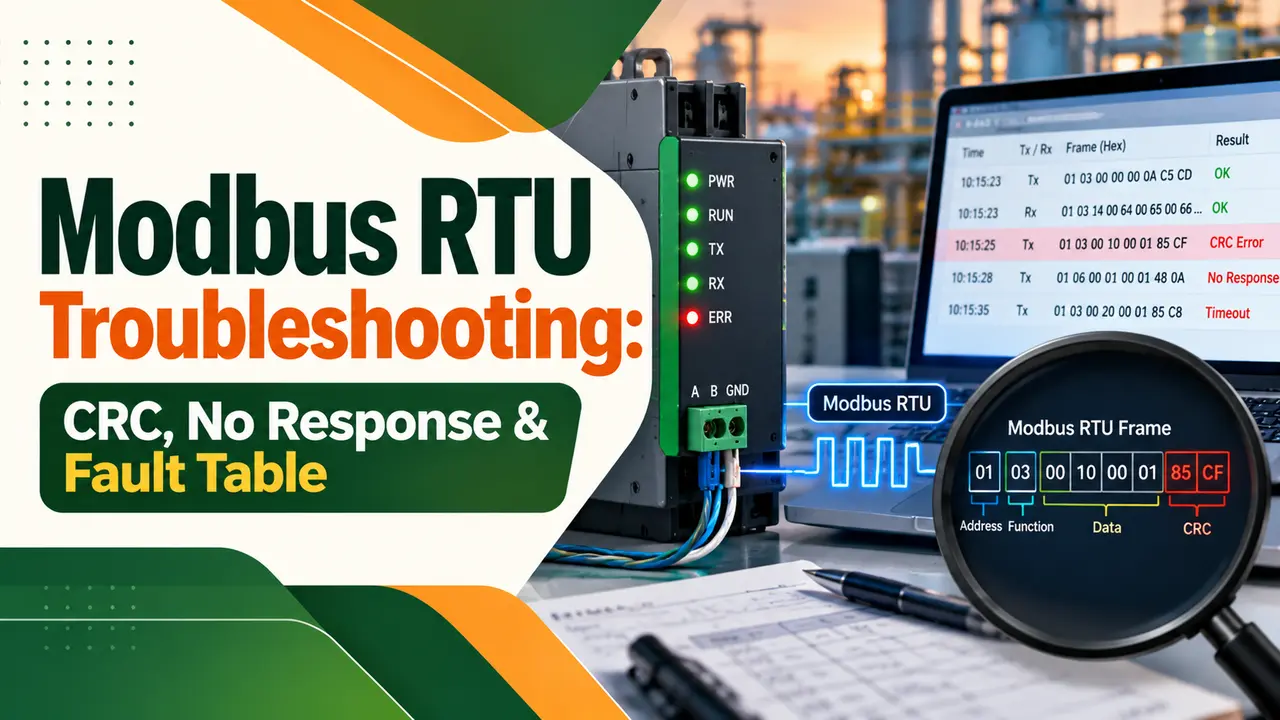
What Is Modbus RTU Troubleshooting?
Modbus RTU troubleshooting is the step by step process of finding why a master, such as a PLC, DCS or SCADA, cannot read or write data from a slave device on an RS485 serial line. In practice, almost every fault falls into four groups: serial settings, wiring, addressing and timing, as covered in our Modbus protocol basics.
- No response: check slave ID, baud rate, parity, stop bits and the A/B wire pair first.
- CRC errors: suspect noise, missing termination, wrong baud rate or a poor USB converter.
- Exception reply: the link works, but the register address, function or value is wrong.
- A healthy two end bus reads about 60 Ω between the data lines with power off.

The timeouts, CRC errors and silent participants usually come from the physical bus setup rather than the protocol. It also warns that 247 addresses do not mean 247 electrical participants on one segment.
Modbus RTU No Response or Timeout: Step by Step
A timeout means the master sent a request and heard nothing back in time. Good Modbus RTU troubleshooting works from the simplest cause outward, so you do not rewire a panel when only the slave ID was wrong.
In Modbus RTU troubleshooting, step six is the most useful: if the device answers on the bench but not on the field bus, the fault is in the cable, earthing or another node. Our guide on SCADA communication problems uses the same isolate and divide method.
Write the address, baud rate, parity and stop bits on a label inside each panel door during commissioning. Months later, that label saves an hour of guessing when a replacement meter arrives with factory defaults.
Baud Rate, Parity and Stop Bit Mismatch
The Modbus over Serial Line specification fixes each RTU character at 11 bits: one start bit, eight data bits, one parity bit and one stop bit. If parity is not used, the spec asks for two stop bits so the character still has 11 bits, as our UART frame and baud rate article explains.
| Setting | Spec rule | Common field mistake |
|---|---|---|
| Baud rate | 9600 and 19200 required, 19200 default | Meter left at 9600, PLC set to 19200 |
| Data bits | 8 for RTU | 7 bits, which suits ASCII mode only |
| Parity | Even is the default | Device shipped with odd or none |
| Stop bits | 1 with parity, 2 without | None parity with only 1 stop bit |
| Address | 1 to 247, 0 is broadcast | Two devices left at address 1 |
| Frame size | 256 bytes maximum | Reading too many registers in one request |
The Modbus spec says the default parity must be even, yet many meters leave the factory set to no parity. That one difference is behind a large share of first day commissioning calls.
Modbus CRC Error Causes and Fixes
Every RTU frame ends with a 16 bit CRC calculated over the address, function and data bytes and sent low byte first. Chipkin gives a worked example: reading one holding register from slave 1 is sent as 01 03 00 00 00 01 84 0A, where 84 0A is the CRC.
Chipkin also notes that a slave silently discards a frame with a bad CRC and sends no exception, so the master simply times out. That is why CRC trouble and no response trouble often look the same on the HMI.
Chipkin reports that CRC errors appearing only at 19200 baud or above, and vanishing at 9600, usually point to missing termination or a weak USB to serial converter. Route the cable at least 300 mm from VFD power cables and read our note on VFD and PLC power quality for drive related noise.
Modbus Exception Codes Table
An exception response is good news during Modbus RTU troubleshooting, because it proves the wiring, address and settings work. The slave returns the function code plus 0x80, so a failed read of holding registers comes back as 0x83 followed by an exception code.
| Code | Name | Usual cause | Fix |
|---|---|---|---|
| 01 | Illegal Function | Function not supported, such as 06 on a read only meter | Use a function listed in the device manual |
| 02 | Illegal Data Address | Register does not exist or off by one offset | Check 40001 versus 0 based addressing |
| 03 | Illegal Data Value | Value or register count out of range | Reduce count, check limits and data type |
| 04 | Slave Device Failure | Internal error while acting on the request | Check device diagnostics and power cycle |
| 06 | Slave Device Busy | Device still processing a long command | Retry later or slow the poll rate |
| 0B | Gateway Target Failed to Respond | Gateway reached no answer from the serial slave | Troubleshoot the serial side behind the gateway |
Code 02 is the most common in the field, because manuals list registers either as 40001 style numbers or as 0 based offsets. When values look wrong but no exception appears, check byte order, word swap and scaling, which our PLC data types article covers.
RS485 Wiring Checks: A/B Swap, Termination and Biasing
The Modbus spec names the two data lines D0 and D1, with D1 matching B and D0 matching A in the EIA 485 standard. Makers still print A, B, plus and minus in different ways, so in Modbus RTU troubleshooting a silent device is often just a swapped pair, as explained in RS232 vs RS485.
Terminate only the two physical ends of the trunk, never every node, and set biasing once per segment. The spec gives 150 Ω for the line terminator and 450 to 650 Ω for each polarisation resistor, and our guide to RS485 termination and biasing resistors shows the calculations.
Solis gives the same 60 Ω and 120 Ω readings in its RS485 wiring guide and asks for twisted pair cable with the shield bonded at one end only. Bonding both ends creates a ground loop, and a shielded twisted pair cable keeps noise common to both wires.
Frame Timing Formula With Solved Example
RTU frames are separated by a silent gap of at least 3.5 character times, and a gap of more than 1.5 character times inside a frame breaks it. Above 19200 baud the spec recommends fixed values of 750 µs for t1.5 and 1.750 ms for t3.5.
9600 baud, 11 bits: 11 ÷ 9600 = 1.146 ms
t1.5 = 1.5 × 1.146 = 1.719 ms
t3.5 = 3.5 × 1.146 = 4.010 ms
Read 10 registers: request 8 bytes, reply 25 bytes
Data time = 33 × 1.146 = 37.81 ms
Gaps = 2 × 4.010 = 8.02 ms
Slave turnaround = 20 ms
Poll time = 37.81 + 8.02 + 20 = 65.8 ms
10 slaves: 10 × 65.8 = 658 ms per scan
During Modbus RTU troubleshooting, set the master timeout well above the single poll time, and remember that one dead slave adds a full timeout to every scan. If the scan is too slow, raise the baud rate, read blocks of registers in one request or split the bus, as discussed in Modbus RTU vs Modbus TCP.
Modbus RTU Troubleshooting Symptom Table
Use this table as a first look when a Modbus RTU troubleshooting call comes in. Match the symptom on the HMI or the master diagnostics, then work through the checks in order.
| Symptom | Likely cause | Quick check | Fix |
|---|---|---|---|
| Timeout on every slave | Master port, settings or trunk break | Loopback or direct test at master | Correct port settings, repair cable |
| Timeout on one slave | Wrong ID, settings or A/B swap | Modbus Poll direct to the device | Match ID and settings, swap pair |
| Random CRC errors | Noise, termination, ground loop | 60 Ω reading, cable route | Terminate ends, reroute, bond shield once |
| Errors only at high baud | Reflections, long stubs, weak converter | Drop to 9600 and compare | Shorten stubs, fit terminators |
| Exception 02 | Register offset or wrong map | Read one known register | Correct 0 based or 40001 offset |
| Values wrong but no error | Byte order, scaling, data type | Compare with device display | Set word swap and scaling |
When two devices share the same address, both answer at once and the master sees CRC errors only for that ID. Disconnect devices one at a time; if the errors stop, readdress the one you removed.
Tools for Modbus RTU Troubleshooting
Good tools turn Modbus RTU troubleshooting from guesswork into a measured process. Rheonics recommends Modbus Poll from Witte Software as a master simulator, while a passive sniffer, an oscilloscope and an isolated protocol gateway help on live buses.
A Modbus gateway rebuilds the CRC for every serial frame it sends. So during Modbus RTU troubleshooting, a CRC error seen on the serial side is a serial wiring or noise problem, not a fault on the Ethernet network.
Strengths and Limits of Modbus RTU
- Open, simple protocol supported by almost every meter and PLC.
- Low cost two wire RS485 cabling over long distances.
- Exception codes show clearly when a request is wrong.
- Free tools make bench testing simple.
- No standard for A and B labels across makers.
- Settings must match exactly on every device.
- No built in diagnostics for noise or cable faults.
- One slow or dead slave slows the whole scan.
- Unique address set and recorded for every slave
- Baud rate, parity, data bits and stop bits match on all nodes
- A/B pair confirmed against each device manual
- Terminators fitted only at the two trunk ends
- About 60 Ω read across the pair with power off
- Shield bonded at one end and cable kept away from VFD cables
- Register map tested with Modbus Poll before handover
- Master timeout and retries set for the real poll time
Modbus over Serial Line Specification PDF
Video on Troubleshooting Modbus RTU and TCP
Modbus RTU Troubleshooting FAQ
The most common causes are a wrong slave address, mismatched baud rate or parity, and swapped data wires. A missing or extra termination resistor can also stop replies on longer cables.
Test the device alone with a laptop and a master simulator over a short cable. If it answers there, the fault is in the field wiring or another device on the bus.
CRC errors happen when bits change between the sender and the receiver. Noise from drives, missing termination, ground loops and wrong serial settings are the usual reasons.
A poor USB converter can also split a frame with long gaps. Check the 60 Ω reading, reroute the cable and compare results at a lower baud rate.
Connect an isolated USB to RS485 converter to the device and run a master simulator such as Modbus Poll. Enter the address, baud rate, parity and stop bits from the device manual.
Read one known register, such as a serial number or a live value shown on the display. A correct reply ends this stage of Modbus RTU troubleshooting before you connect the real master.
Exception code 2 means illegal data address, so the slave does not have the register you asked for. The link is working, because the device understood and answered the request.
The usual cause is an off by one offset between 40001 style numbering and 0 based addresses. Try the address one lower or one higher and check the device register map again.
Yes, an RS485 trunk should be terminated at its two physical ends, not at every device. Short bench cables at low baud rates may work without it, but long field cables need it.
Typical values are 120 Ω, and the Modbus spec mentions 150 Ω as an option. With two terminators fitted and power off, you should read about 60 Ω across the pair.
It is the minimum silent gap that marks the end of one RTU frame and the start of the next. At 9600 baud with 11 bit characters, it works out to about 4 ms.
Above 19200 baud, the spec recommends a fixed 1.75 ms gap instead. Masters or converters that ignore this timing cause broken frames during Modbus RTU troubleshooting on busy networks.
Related Articles
- Modbus Protocol Explained
- Modbus RTU vs Modbus TCP
- RS485 Termination and Biasing Resistors
- RS232 vs RS485 in Industrial Automation
- Industrial Protocol Gateway
External References
- Modbus over Serial Line Specification and Implementation Guide V1.02, Modbus Organization
- Modbus RTU in the Control Cabinet: Termination, Biasing and Addresses, ICS Schneider Messtechnik
- Modbus, Wikipedia
What We Learn Today
- Modbus RTU troubleshooting follows a fixed order: slave address, serial settings, A/B polarity, termination, then timing and register addressing on the device.
- A slave ignores frames with a bad CRC and sends nothing, so CRC faults often appear as timeouts on the master and the HMI.
- An exception reply such as code 02 proves the wiring works and points to a wrong register, function or value in the request.