
Long before every control room had a wall of screens, operators watched their plant on a single painted panel.
The mimic panel still earns its place today as a simple, always on backup that a software screen cannot fully replace.
A mimic panel turns an entire plant layout into one picture an operator can read at a glance, no login required.
We will cover its construction, its role in fire and gas safety systems, how it compares with a software mimic screen, and where these panels are typically installed.
What Is a Mimic Panel?
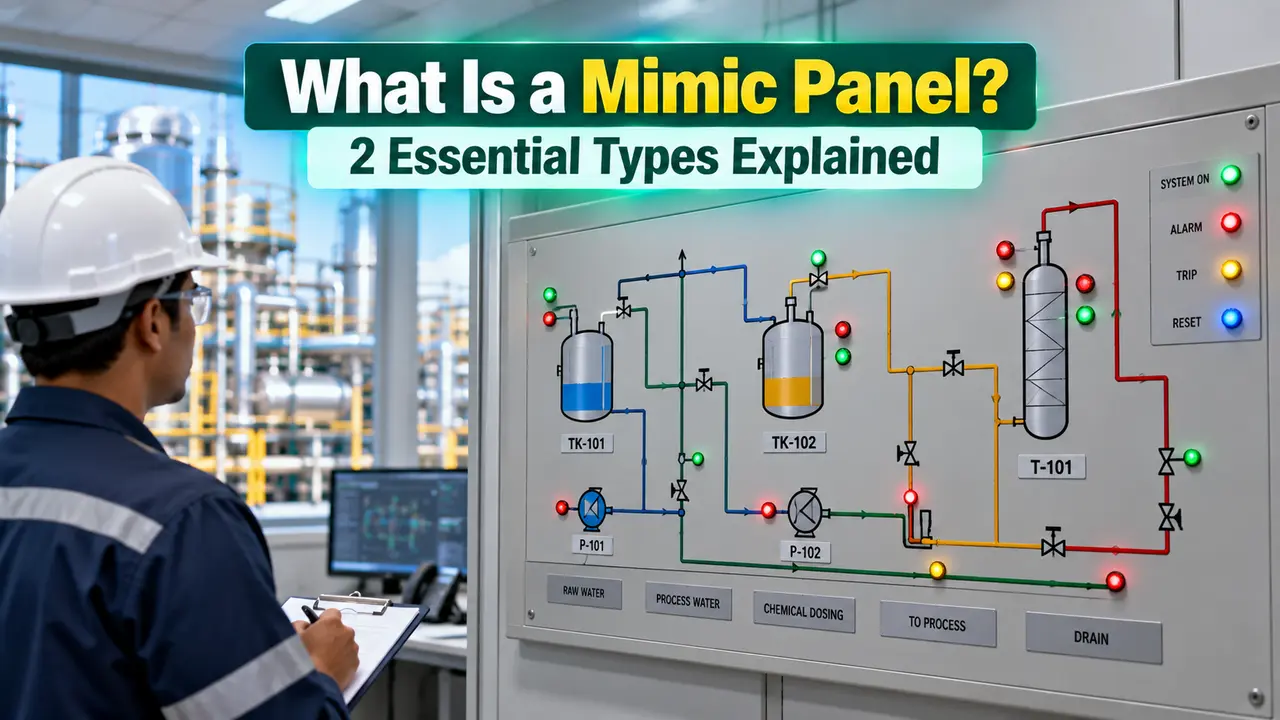
A mimic panel pictorially represents a plant's process flow or system layout on the front of a control desk. It works as a fixed, always visible reference for the whole operating team.
An operator glancing at the panel sees the same physical arrangement as the real plant. Lamps and indicators light up in the exact spot on the diagram where the equipment actually sits.
Its real job is to act as a second level backup. If the primary HMI screen goes dark, the panel still shows plant status.
That status keeps showing without needing power to a workstation, a network link, or any application still running in the background.
This is also why many DCS control rooms keep one installed even after moving most operations to software.
How a Mimic Panel Is Built
The construction is simple by design, since the panel has to keep working for decades with almost no maintenance.
2 Common Panel Types
Mimic Panel Role in Fire and Gas Safety Systems
Fire and gas panels lean heavily on this layout, since a delay reading the display during an emergency is not acceptable.
A well designed panel follows the same alarm priority logic covered in our DCS alarm types guide.
Physical Panel vs Software Mimic Screen
Most new control rooms pair a physical panel with a software mimic screen rather than choosing only one.
The two approaches complement each other more than they compete, and pairing them is standard practice on a modern SCADA system.
| Factor | Physical Panel | Software Mimic Screen |
|---|---|---|
| Depends on power or network | No, purely electrical lamps | Yes, needs workstation and network |
| Update after a plant change | Requires new artwork | Edited in configuration software |
| Detail and drill down | Fixed, high level view only | Can zoom into individual loops |
| Visibility across a room | Readable from 100 meters | Limited to screen size and glare |
Where These Panels Are Used
Benefits and Limitations
Works without power to a computer, readable at a distance, immune to software crashes, and simple enough that new operators learn it in minutes.
Fixed once built, cannot show live trend data, and any plant modification means new artwork rather than a quick software edit.
Watch: How SCADA and Mimic Displays Control a Plant
Mimic Panel Questions Engineers Ask
Related Articles on This Site
- SCADA HMI Screen Design: ISA 101 Best Practices
- How SCADA Systems Work
- Distributed Control System (DCS)
- SCADA Alarm Management
- 7 Types of Alarms in DCS
External References
What We Learn Today
- A mimic panel pictorially represents a plant layout on a control desk as a hardwired backup to the main HMI.
- Printed and engraved are the two common construction types, each built from polycarbonate or plastic stock.
- Fire and gas systems lean on these panels for guarded shutdown buttons that keep working when software does not.