
Networks fail, servers reboot and cellular links drop, yet regulators and engineers still expect a complete record of every value. Local buffering keeps collecting data during the gap and fills the history once the link returns.
Historians and cloud platforms depend on a network path from the plant. A local buffer captures readings when that path breaks and forwards them in order when it comes back.
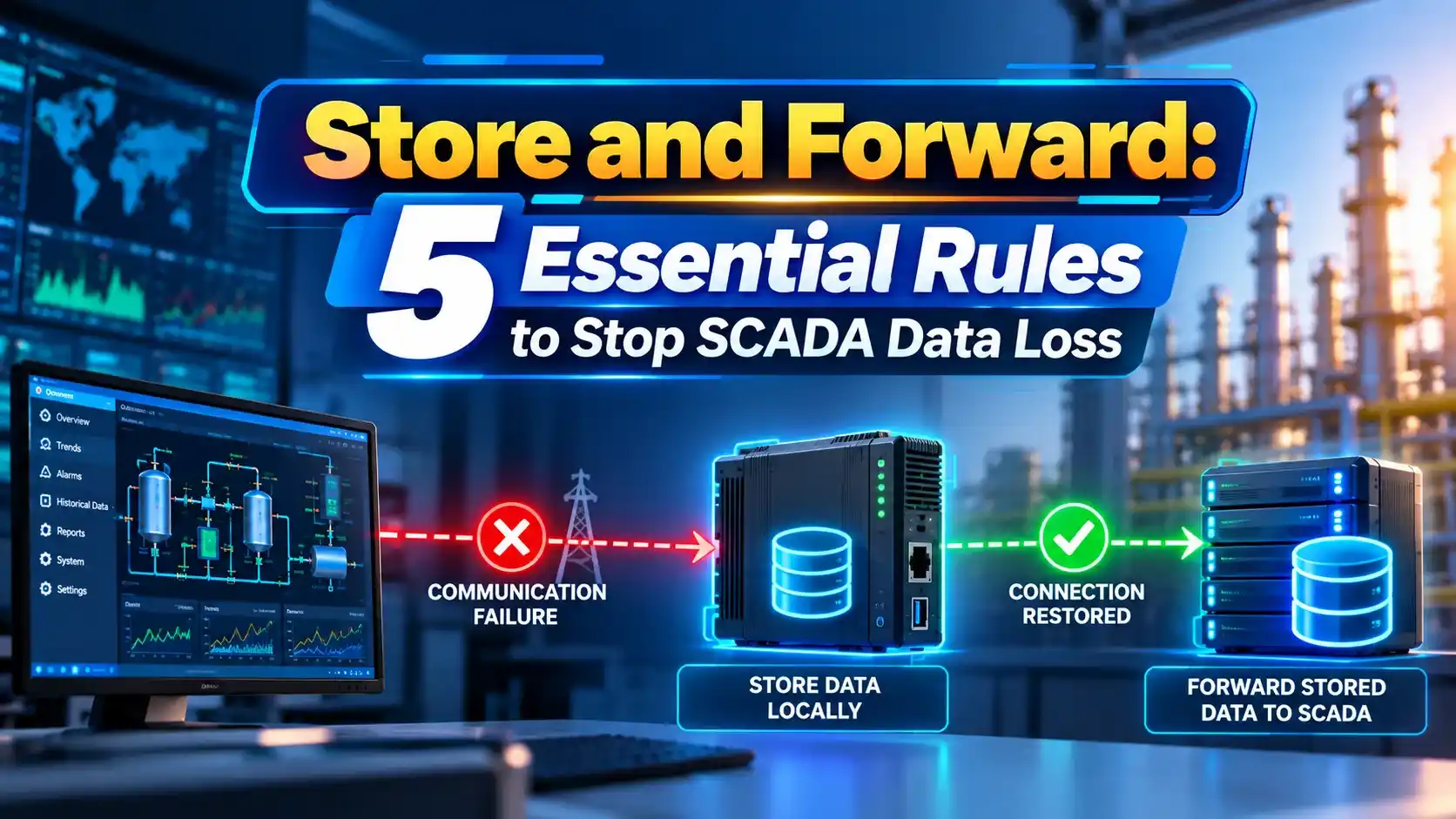
What Is Store and Forward?
Store and forward is a data handling method where a collector, gateway or SCADA node saves readings locally when the destination is unreachable, then sends them later in their original order with original time stamps. It protects the record kept by a process historian.
FlowFuse describes edge buffering that delivers stored data in full chronological order after an outage, so the history shows no gaps. Its example checks connectivity every 30 seconds and forwards records in batches of 50.
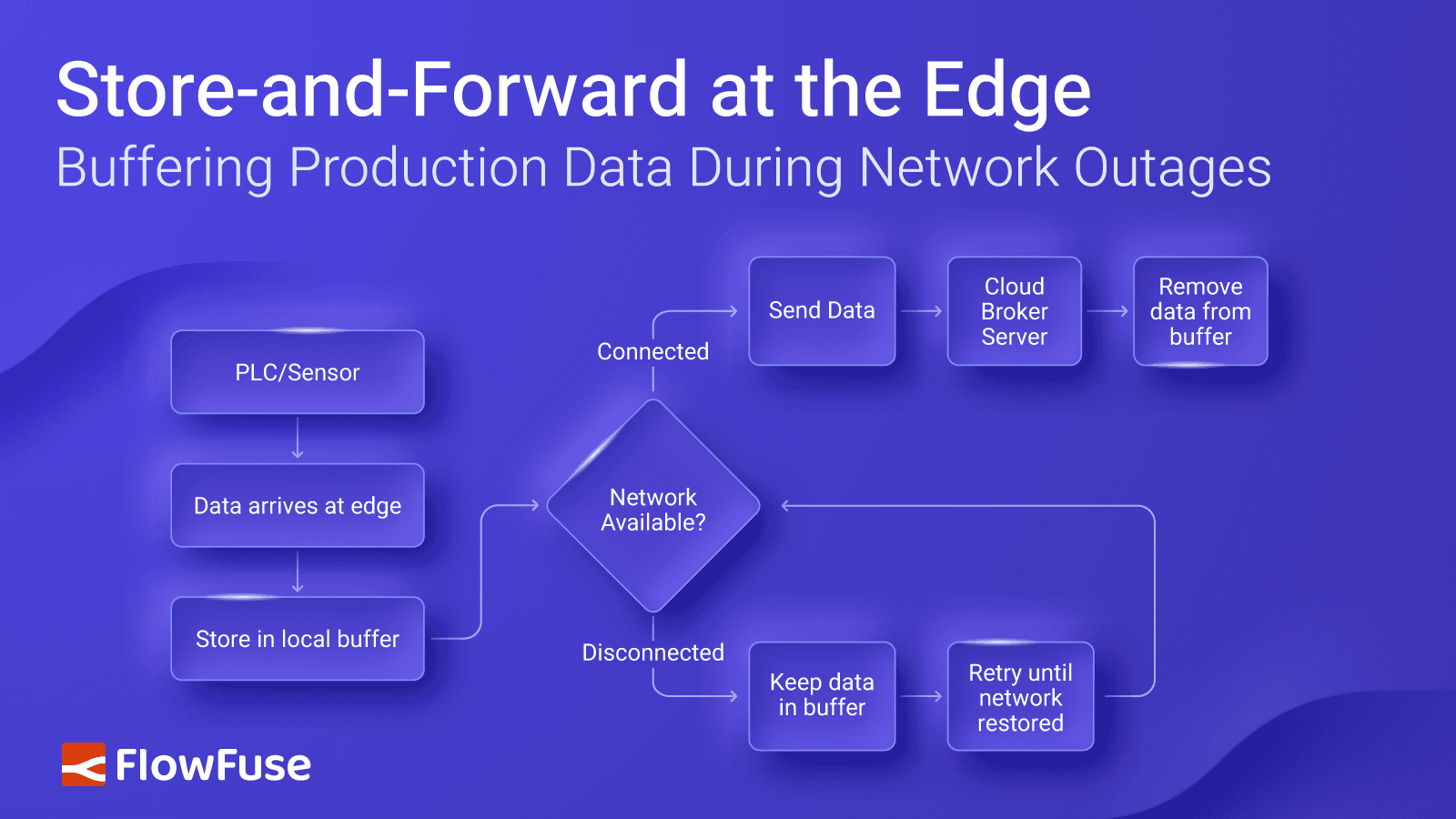
The same idea is used in PI interfaces, Ignition gateways and cloud connectors described in SCADA historian integration. Names differ, but the principle is the same.
Without buffering, a one hour outage leaves a permanent hole in trends, reports and compliance records.
How Buffering Works
Records are removed from the buffer only after the destination confirms receipt. This avoids losing data if the link fails again during forwarding.
Most products use a small memory cache for speed and a disk cache for long outages. The disk cache must survive a power cycle.
Where Buffering Is Used
Tag historian caches when the database is down.
Buffer field data before cloud upload.
Onboard logs backfill the master.
Queued messages published after reconnect.
Nasby and co authors describe using DNP3 datalogging in RTUs to meet backup logging requirements at water sites. The RTU keeps the record and the master backfills it later.
Publish and subscribe systems such as MQTT offer persistent sessions with a similar effect.
5 Essential Buffering Rules
Backfill can load a historian heavily after a long outage. Rate limiting keeps the server responsive, which also helps with issues in growing SCADA databases.
Redundant servers reduce outages, but buffering still covers network faults, as noted in SCADA redundancy architecture.
Buffer Size Formula
Example:
2000 tags, 1 sample per second each
16 bytes per sample with time stamp and quality
Outage = 24 hours = 86400 s
Buffer ≈ 2000 × 1 × 16 × 86400 = 2.76 GB
Exception based collection lowers the sample count sharply, often by 80 percent or more. Use real change rates rather than scan rates when sizing.
Leave spare disk space for compression failures and log files.
Buffer Size Calculator
Double the result if the gateway also buffers alarms and events. Check the product limit on maximum cache size.
- No gaps in history.
- Compliance records stay complete.
- Tolerates cheap unreliable links.
- Simple to configure in most products.
- Late data may confuse live dashboards.
- Backfill can overload servers.
- Disk full means data loss.
- Clock errors corrupt ordering.
Accurate clocks matter, so synchronise every node with NTP. Historian storage basics are covered in DCS historian data storage.
DNP3 Store and Forward Paper PDF
Tag Historian Module Video
Store and Forward FAQ
Related Articles
- What Is a Process Historian
- SCADA Historian Integration
- DCS Historian Explained
- SCADA Redundancy Architecture
- SCADA vs IIoT
External References
- Backup Datalogging With DNP3, WEAO Influents
- Buffering Production Data at the Edge, FlowFuse
- Buffered Data Transfer, Wikipedia
What We Learn Today
- Local buffering saves data during outages and backfills later.
- Size the buffer from tags, rates and the worst outage.
- Keep source time stamps and throttle backfill.