
A SCADA historian stores every process value, event, and alarm from a SCADA or DCS system with timestamps at high resolution for months or years.
OSIsoft PI System (now AVEVA PI) and AVEVA Historian (formerly Wonderware Historian) are the two most widely deployed SCADA historian platforms in the process industry.
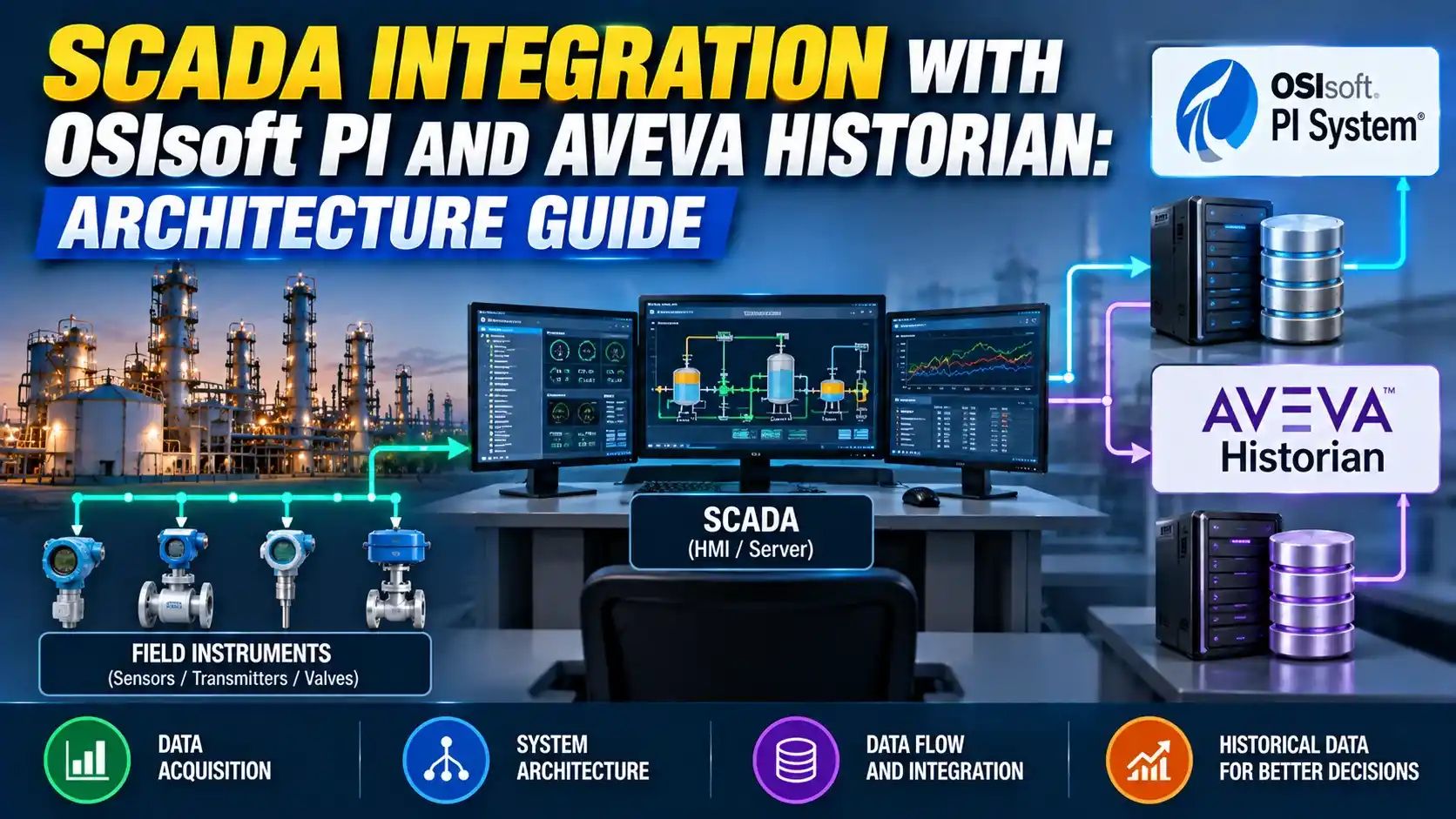
This guide covers the integration architecture for both how they connect to SCADA, how data flows from the control system to the historian, and how to size the integration correctly.
The most common SCADA historian integration mistake is connecting the historian server directly to the SCADA server over OPC DA without a buffer node.
When the SCADA server goes offline, the historian loses all data for that period.
A correctly designed integration always includes buffering the collector records locally and forwards the gap when connectivity returns.
Why a Dedicated SCADA Historian Is Needed
A SCADA historian is not the same as the internal SCADA or DCS database.
The internal database holds current values and a short rolling history — typically 30 minutes to a few days.
A dedicated SCADA historian stores years of timestamped data in a compressed time-series format optimised for fast retrieval by time range, tag, and condition.
It also provides standardised access for engineering analysis tools, enterprise reporting systems, and cloud analytics platforms.
The algorithm stores a new point only when the value deviates from a straight-line interpolation by more than a user-defined exception deviation. A tag that changes slowly and smoothly (a temperature in a well-insulated vessel) may record only a few points per hour. A tag that fluctuates rapidly (a flow rate on a reciprocating pump discharge) may record hundreds of points per hour.
The compression deviation for each tag is set during historian integration and directly affects both storage requirements and trend fidelity. Setting compression too tight wastes storage; setting it too loose loses process detail that may be needed for incident investigation.
AVEVA PI System: SCADA Historian Integration Architecture
PI System Core Components
The PI System's time-series database is the PI Data Archive. This is the core SCADA historian server that stores all process values with timestamps and quality codes.
Alongside it runs the PI Asset Framework (AF) — a metadata layer organising PI tags into a hierarchical asset model (Site, Area, Unit, Equipment, Attribute).
The AF layer allows historian data to be queried by asset context rather than by raw tag name.
Data reaches the PI Data Archive through PI Interfaces — software connectors on a dedicated PI Interface Node that translate between the source protocol and PI's proprietary data format.
PI Interface Node: The Data Collection Layer
The PI Interface Node is the most critical component in a PI historian integration. It is a dedicated Windows server running PI Interfaces that connect to SCADA, DCS, or PLC data sources.
Common PI Interfaces include PI Interface for OPC DA, OPC UA, DNP3, and vendor-specific interfaces for DeltaV, Honeywell Experion, Citect, and FactoryTalk.
The Interface Node must be on the same network segment as the SCADA server. OPC DA requires DCOM, which is unreliable across firewalls. See the OPC UA guide for the alternative.
PI Buffer Subsystem: Store-and-Forward
The PI Buffer Subsystem (PI BufSS) runs on the Interface Node alongside the PI Interfaces. It stores collected data locally if the connection to the PI Data Archive server is interrupted.
When the connection is restored, PI BufSS forwards the buffered data in timestamp order, filling the gap. Without PI BufSS, a network outage creates a permanent data gap.
Engineers often skip PI BufSS on a well-connected LAN, assuming the network is reliable enough to make buffering unnecessary.
In practice, the PI Data Archive server is often the first server stopped during patching, backup windows, or historian software upgrades. Without PI BufSS, every planned maintenance window creates a permanent data gap. With PI BufSS configured for 72 hours of local storage, the historian is gapless through most planned maintenance events.
Following the acquisition, AVEVA itself was acquired by Schneider Electric in 2023 for approximately 11 billion US dollars, making Schneider Electric the parent company of both the AVEVA PI System and AVEVA Historian (formerly Wonderware Historian) today.
The PI System and AVEVA Historian remain separate products with separate licensing and separate technical stacks. AVEVA has begun integrating both under the "AVEVA Connect" cloud platform, but they are still distinct on-premises SCADA historian products as of 2025.
AVEVA Historian: SCADA Integration Architecture
AVEVA Historian Core Components
AVEVA Historian stores time-series data in a Microsoft SQL Server database with a proprietary extension. The historian schema is accessible via standard SQL, which simplifies enterprise reporting integration.
The historian is tightly integrated with the AVEVA System Platform. Tags from InTouch and Application Server can be historised directly using SuiteLink, without a separate OPC server.
AVEVA Historian Agent: The Data Collection Layer
The AVEVA Historian Agent connects to external data sources — SCADA servers, PLCs, OPC servers, MQTT brokers — and forwards collected data to the Historian database.
For non-AVEVA SCADA (Ignition, FactoryTalk, GE iFIX), the Agent uses OPC DA or OPC UA. For AVEVA System Platform, it uses SuiteLink.
MQTT is also supported since 2023 — see the MQTT guide.
Store-and-forward is provided by the Historian Store-Forward service. It buffers data on the Agent node when the database connection is lost and replays the buffer when connectivity is restored.
OPC DA requires DCOM configuration, Windows Firewall exceptions, and matching DCOM security settings on both the SCADA server and the Interface Node. Getting this right requires experienced Windows system administration and tends to break silently after Windows updates or group policy changes.
OPC UA uses a simple TCP connection on a configurable port (default 4840). It supports certificates for authentication, does not require DCOM, and works across firewalls with a single firewall rule. Every modern SCADA and DCS platform has an OPC UA server option. There is no reason to use OPC DA on new projects.
PI System vs AVEVA Historian: SCADA Integration Comparison
| Parameter | AVEVA PI System | AVEVA Historian |
|---|---|---|
| Database technology | Proprietary time-series PI Data Archive with PI Asset Framework (AF) metadata layer | Microsoft SQL Server with proprietary time-series extension. Queryable via standard SQL. |
| Primary SCADA connection | PI Interface for OPC DA, OPC UA, or vendor-specific DCS/SCADA interfaces on a dedicated PI Interface Node | AVEVA Historian Agent via SuiteLink (for AVEVA System Platform) or OPC DA/UA (for non-AVEVA SCADA) |
| Store-and-forward | PI Buffer Subsystem (PI BufSS) on the Interface Node | Historian Store-Forward service on the Agent node |
| Tag metadata | PI Asset Framework (AF): hierarchical asset model with element templates, attributes, and analysis expressions | Plant model hierarchy in AVEVA System Platform / Application Server. SQL-based tag attributes. |
| Best fit SCADA platforms | Any SCADA or DCS with OPC DA/UA support; native interfaces for DeltaV, Experion, FactoryTalk, Citect. Best for multi-vendor environments and enterprise PI deployments. | Best with AVEVA System Platform (InTouch, Application Server, Operations Control). Also supports non-AVEVA SCADA via OPC DA/UA. |
| Data access for clients | PI Web API (REST), PI OLEDB, PI SDK, AF SDK, PI OPC DA/UA server | Standard SQL queries via ODBC/ADO, AVEVA Historian Client, PI System connector (for cross-replication) |
| Cloud integration | AVEVA Connect (cloud), PI Web API to Azure Data Explorer, AWS Timestream via PI Connector for Amazon | AVEVA Connect, AVEVA Insight (cloud analytics), direct SQL export to Azure SQL / AWS RDS |
| Typical use case | Large enterprise PI deployments, multi-site historian aggregation, advanced analytics on process data, oil and gas, power, and pharma with high tag counts (10,000 to 1M+ tags) | Site-level historian tightly coupled to AVEVA HMI/SCADA. Good fit for manufacturing and discrete process industries with AVEVA System Platform. |
SCADA Historian Storage and Bandwidth Estimator
Watch: OSIsoft PI Basics — Map of the PI System (2024)
SCADA Historian Integration Questions
External References
- AVEVA PI System: Industrial Data and Operations Intelligence | AVEVA (2025)
- Industrial Historian Comparison: PI, AVEVA, Ignition | Industrial Monitor Direct (2026)
What We Learn Today
- A SCADA historian integration always has three layers: the data source (SCADA/DCS), the data collection node (PI Interface Node or AVEVA Historian Agent), and the historian database server (PI Data Archive or AVEVA Historian). The data collection node must include a store-and-forward buffer so network outages do not create permanent data gaps.
- PI System suits large multi-vendor enterprise deployments with OPC-based interfaces and the PI Asset Framework for asset-context metadata. AVEVA Historian suits sites running AVEVA System Platform where SuiteLink native integration and SQL access are priorities.
- For any new SCADA historian integration, use OPC UA rather than OPC DA. OPC UA avoids DCOM configuration issues, works across firewalls with a single port rule, and supports certificate-based authentication — making it more reliable and more secure than OPC DA for long-term operation.