
TON delays turning something on. TOF delays turning something off. RTO remembers time even when nothing is running, adding it all up across many separate runs.
All three instructions share the same preset and accumulated time parameters, yet each one treats the accumulated value completely differently once the input goes false.
Picking the wrong one of the three is a quiet mistake, since the logic often looks correct until a real machine cycle exposes the difference.
This guide breaks down all three timers, then hands over a calculator that runs the timing math for any of them.
PLC timer instructions TON, TOF and RTO each measure elapsed time against a preset, but differ in exactly what triggers timing and what happens to the accumulated value: TON delays an output turning on, TOF delays an output turning off, and RTO keeps its accumulated time even after the input goes false, resetting only with a separate RES instruction.
Almost every PLC program needs to delay something, whether that is waiting before a motor starts, keeping a fan running a little longer after shutdown, or tracking total run hours for maintenance.
TON, TOF and RTO cover those three needs, and mixing them up produces logic that compiles fine but behaves wrong the first time a real cycle interrupts it.
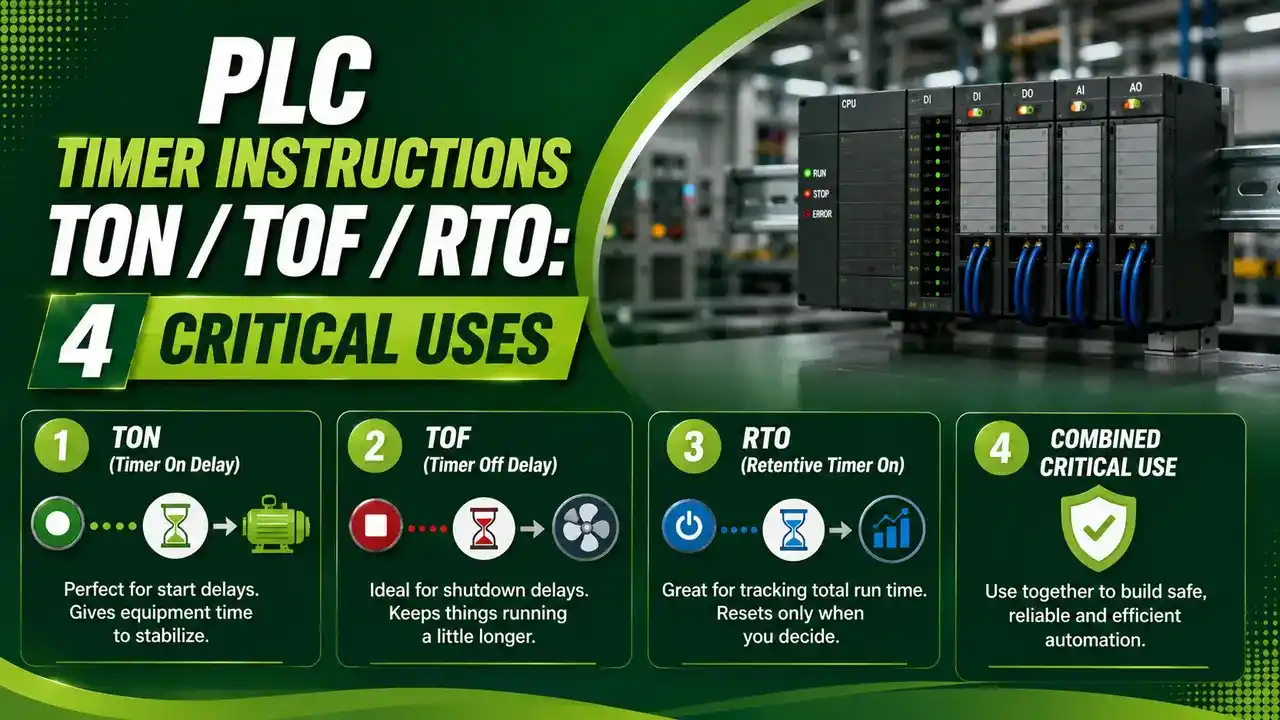
This article works through how each timer actually behaves, their shared parameters, and a calculator for running the timing math on any of the three.
How TON, On Delay, Actually Works
TON starts counting the moment its input goes true, and its done bit turns on once the accumulated time reaches the preset.
If the input drops false before the preset is reached, the accumulated value resets straight back to zero, and the whole delay has to start over from the beginning next time.
TON is the timer to reach for whenever an action needs to wait a fixed amount of time after a condition becomes true, like a warning horn before a conveyor starts moving.
How TOF, Off Delay, Actually Works
TOF is the mirror instruction. Its output turns on immediately when the input goes true, no delay at all on the way in.
Once the input drops false, TOF starts counting, and the output stays on for the full preset duration before finally turning off.
TOF fits perfectly wherever something needs to keep running briefly after a stop signal, like a cooling fan continuing after a motor shuts down.
How RTO, Retentive On Delay, Actually Works
RTO behaves like TON in one way, timing toward a preset before its done bit turns on, but with one critical difference: the accumulated value never resets on its own.
When the input drops false, RTO simply pauses. The next time the input goes true, timing resumes exactly where it left off, adding to the same accumulated total.
Only a separate RES instruction clears an RTO's accumulated value back to zero, which makes it the right choice for tracking total run time across many separate on and off cycles.
Timer Instruction Parameters Compared
| Parameter | Full Name | What It Does |
|---|---|---|
| PRE / PT | Preset Time | The target duration the instruction times toward |
| ACC / ET | Accumulated Time | The running elapsed time, behavior differs by timer type |
| DN / Q | Done Bit | Turns on once the timed condition for that instruction is met |
| RES | Reset Instruction | Clears an RTO's accumulated value back to zero when true |
TON / TOF / RTO Timer Calculator
Pick a timer type, set a preset, and enter the relevant elapsed time to see the resulting accumulated value and output state.
Three Timer Scenarios Worked Through
A TON with a 5 second preset that has seen 3 continuous seconds of true input is still short of its target, and if the input drops now, that 3 seconds is lost entirely.
Done Bit = OFF, resets to 0 if input drops now
A TOF with a 3 second preset that has been false for 4 seconds has already timed out, the output turned off 1 second ago.
Output = OFF
An RTO with a 10 second preset that has accumulated 7 seconds across several separate on periods still needs 3 more seconds of true input, whenever it next arrives, since nothing was lost when the input went false in between.
Done Bit = OFF, 7s preserved until reset
Four Real Timer Instruction Applications
TON: Startup Warning Horn
A horn sounds for a preset duration before a conveyor motor actually starts moving, giving people nearby time to clear the area.
TOF: Cooling Fan Overrun
A fan keeps running for a preset duration after the main motor stops, letting heat dissipate before the fan finally shuts off.
RTO: Maintenance Hour Tracking
Cumulative run time accumulates across every start and stop, triggering a service alert once total hours cross a preset threshold.
TON: Alarm Debounce Delay
A pressure alarm only trips after a condition holds true for several continuous seconds, filtering out brief harmless spikes.
PLC Timer Instruction Do's and Don'ts
✓ Do
- Use RTO specifically when a total needs to survive the input going false repeatedly
- Pair every RTO with an explicit RES instruction somewhere in the program
- Use TOF whenever an output genuinely needs to outlast its triggering input
- Confirm the timer base, seconds or milliseconds, matches what the preset value assumes
✗ Don't
- Use a plain TON where cumulative time across interruptions actually matters, it will reset every time
- Forget that TOF's output turns on immediately, with no delay, the delay only applies going off
- Assume every platform names timer parameters the same way, PRE and ACC versus PT and ET
- Leave an RTO without any reset path, its accumulated value will only ever grow
Resources on PLC Timer Instructions
PLC Timer Instructions Questions Engineers Ask
External References
- Control System Guide: PLC Timer Explained, TON, TOF, RTO, TP Plus Examples
- PLC Blog: PLC Timers Explained, TON, TOF, RTO with Ladder Logic Examples
What We Learn Today
- TON delays an output turning on, and its accumulated value resets to zero if the input goes false early.
- TOF turns its output on immediately, then delays turning it off once the input goes false.
- RTO times toward a preset like TON but never resets its accumulated value on its own, only a RES instruction clears it.
- Choosing the right timer type depends entirely on whether interrupted time should be lost or preserved.