
Antivirus signatures chase known threats, but an operator station only ever needs a short, fixed list of programs. Blocking everything outside that list stops unknown malware, rogue tools and careless USB installs before they ever run.
HMI and engineering stations run the same few programs for years, which makes them ideal for application allowlisting. Only approved executables, libraries, drivers and scripts are allowed to start.
What Is Application Allowlisting?
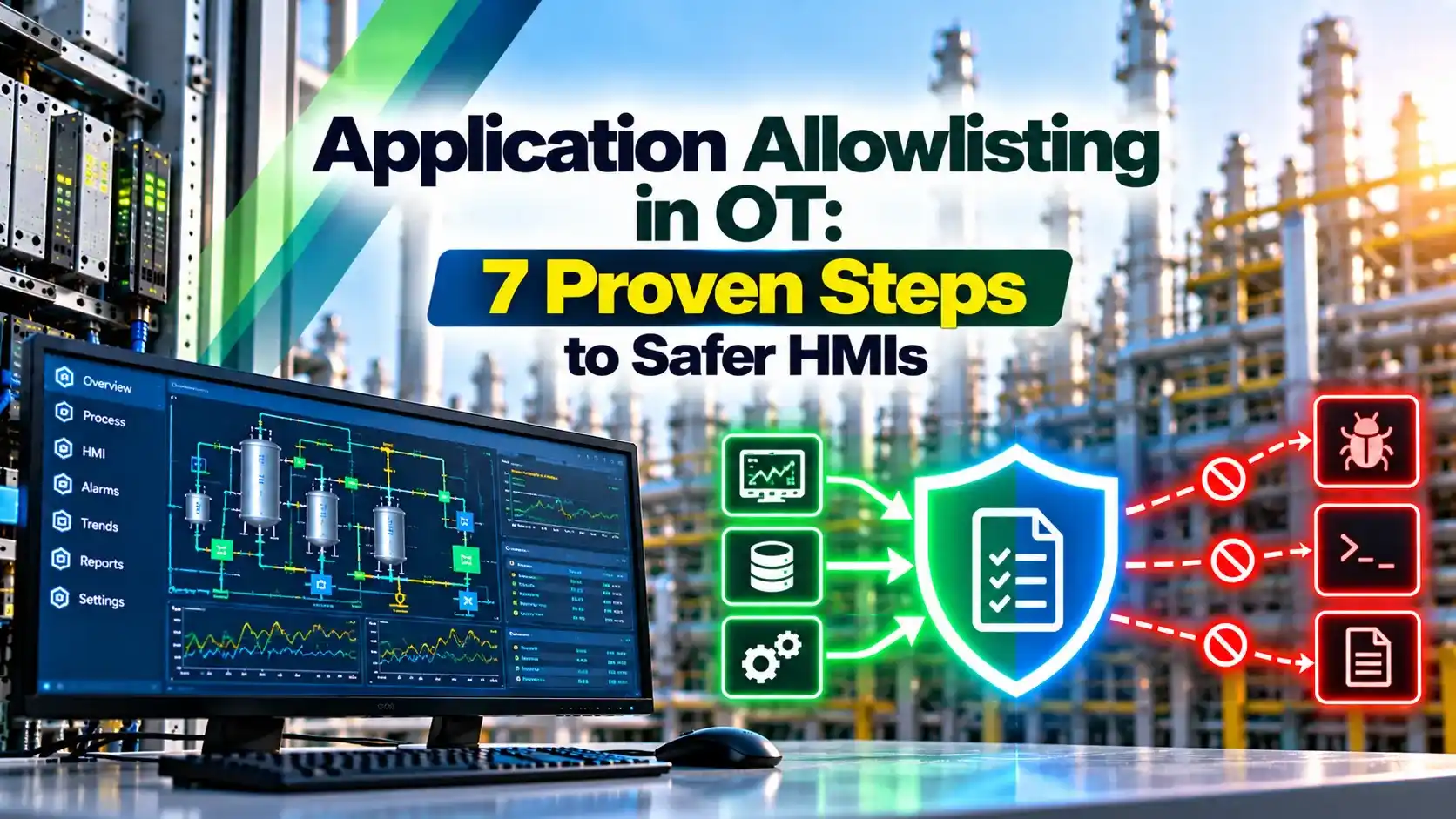
Application allowlisting is a security control that lets only approved programs run on a computer and blocks everything else by default. On an HMI or SCADA server, the approved list is short and stable, so the control fits industrial systems very well.
Older documents call it whitelisting, and Honeywell uses that term in its service note on better control system defense. The idea is the same, a default deny policy instead of a default allow policy.
Wavestone points out that the control should cover executables, DLLs, drivers and scripts. Application allowlisting that blocks only EXE files leaves an easy path for malicious libraries and PowerShell.
It complements network defenses such as those in SCADA network security. Even if malware reaches the station, it cannot start.
Why Plant Workstations Suit a Default Deny Model
Wavestone reports that ICS workstations are often updated only every 1 to 2 years. Many SCADA workstations stay in service for more than 10 years on an obsolete operating system.
Such machines cannot rely on daily antivirus updates or fast patching. Application allowlisting, however, stays valid for the whole period between planned changes.
The IEC 62443 standard lists software restriction as a key system requirement. It also appears in most ICS cybersecurity standards.
Windows Tools Compared
Rule based control built into Windows, managed by Group Policy.
Windows Defender Application Control, enforced at kernel level.
Commercial agents such as Trellix Application Control.
Allowlist packaged and tested by the control system vendor.
Wavestone notes that WDAC needs Windows 10 or later, while AppLocker is the only native option on Windows 7. Older fleets often need a commercial agent.
Always check vendor approval of your application allowlisting policy first, because a blocked DCS service can freeze displays. This matters on engineering and operator stations.
Rule Types and What They Trust
| Rule Type | Trusts | Strength | Weakness |
|---|---|---|---|
| Publisher | Digital signature | Survives updates | Unsigned plant software |
| Hash | Exact file fingerprint | Very precise | Breaks after every update |
| Path | Folder location | Easy to write | Weak if folder is writable |
Prefer publisher rules for signed vendor software and hash rules for unsigned tools. Avoid path rules on folders that normal users can write to.
7 Steps to Deploy Application Allowlisting
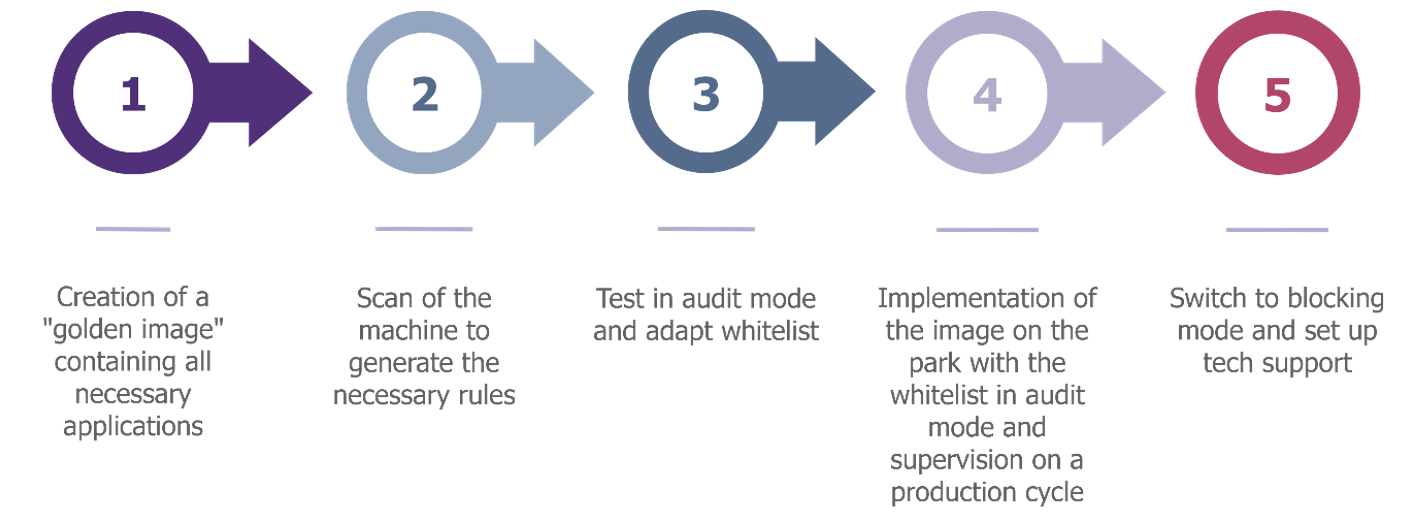
Wavestone recommends the golden image method, since identical HMI stations can share one policy. One clean build becomes the trusted reference for the whole group.
Audit mode is essential because rare functions, such as monthly reports, may run only once in a while. Pair enforcement with secure remote access so vendors cannot bypass it.
Rollout Effort Formula
Working days = Total effort ÷ (Crews × Hours per day)
Example:
40 stations, 6 hours each for audit review and enforcement
Total effort = 40 × 6 = 240 hours
2 crews working 8 hours a day
Working days = 240 ÷ 16 = 15.0
Plan the work around shutdowns or low load periods. Redundant operator stations allow one to be changed while the other stays online.
Rollout Planning Calculator
Add time for the audit period and log review, which usually runs for several weeks. The calculator covers only hands on station work.
Strengths and Limits of Application Allowlisting
- Blocks unknown malware and ransomware.
- Needs no daily signature updates.
- Fits long lived legacy stations.
- Stops unauthorised software installs.
- Policy must follow every change.
- Poor rules can block plant software.
- Does not stop abuse of approved tools.
- Needs vendor testing and approval.
Attackers often use trusted tools already on the machine, a tactic covered in types of cyber attacks. Restrict scripting hosts wherever possible.
Combine this control with the ideas of zero trust for OT and a regular SCADA security checklist review.
Honeywell Service Note PDF
Trellix Allowlist Setup Video
Staff training makes the policy stick, and free OT cybersecurity training is a good starting point.
Application Allowlisting FAQ
Related Articles
- SCADA Network Security
- IEC 62443 Zones and Conduits
- Zero Trust for OT Networks
- SCADA Security Checklist
- PLC Remote Access Security
External References
- Application Whitelisting for Better ICS Defense, Honeywell
- Application Control Strategy for Industrial Supervision, Wavestone
- Whitelist, Wikipedia
What We Learn Today
- Application allowlisting lets only approved software run on plant stations.
- AppLocker, WDAC and vendor agents suit different Windows versions.
- Golden images, audit mode and change control make rollout safe.